Exoplanet Explorer
An immersive space installation for the Floralien where visitors use a physical telescope to search for habitable exoplanets in a generated star field.
Period
February 2026 - May 2026My Roles
Used Technologies
Project documentation
Context
Exoplanet Explorer is an immersive space installation developed as a group assignment for the course Digital Product Studio 2, together with Maarten Coppens, Simon Van Tomme, Mathijs De Langhe and Arda Sager. The installation was built for the Floralien in 't Kuipke in Ghent and was on display for 10 days, as part of the "The ConneXion" route, which immersed visitors in a story about the search for a new home for humanity in space.
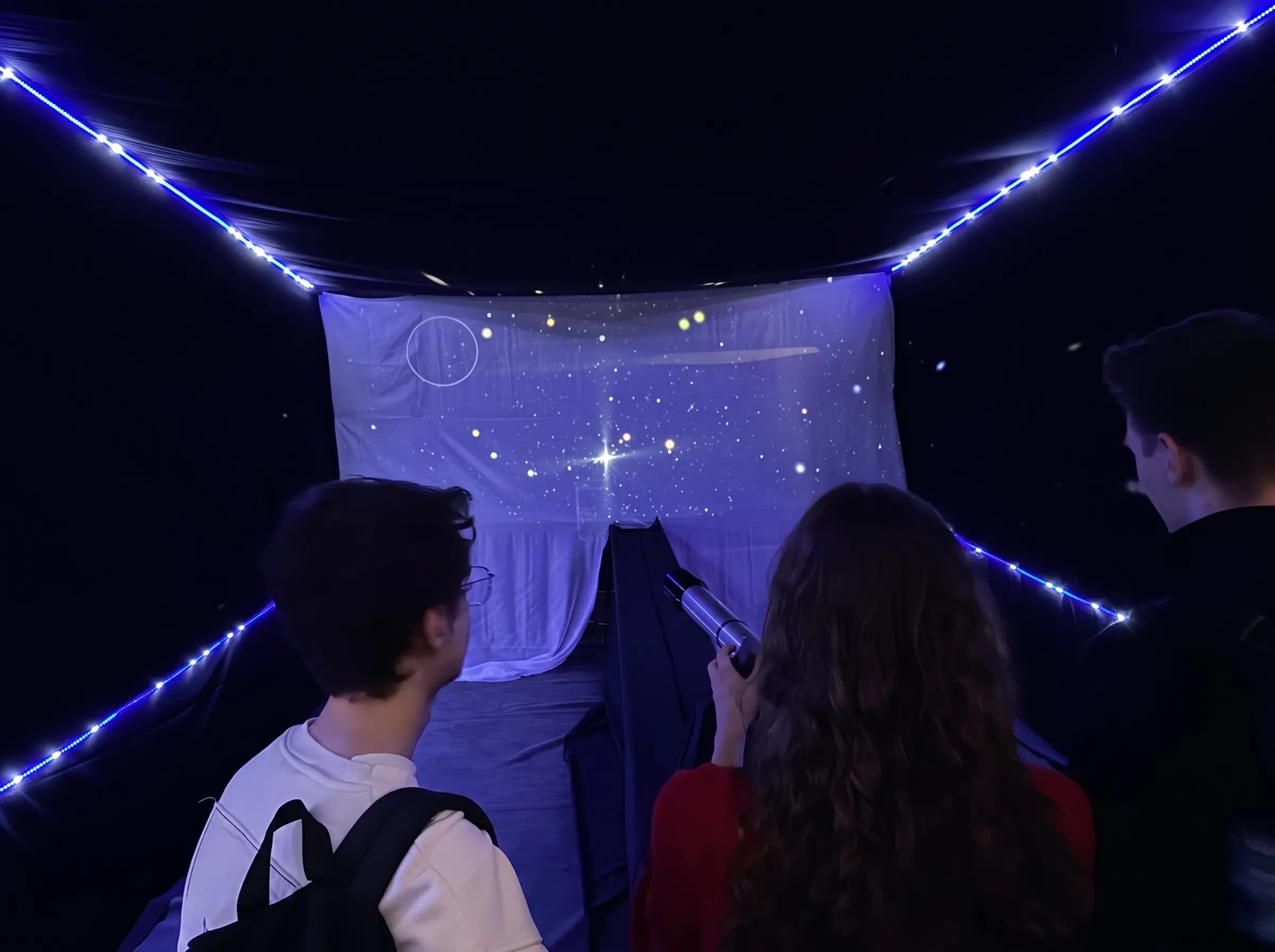
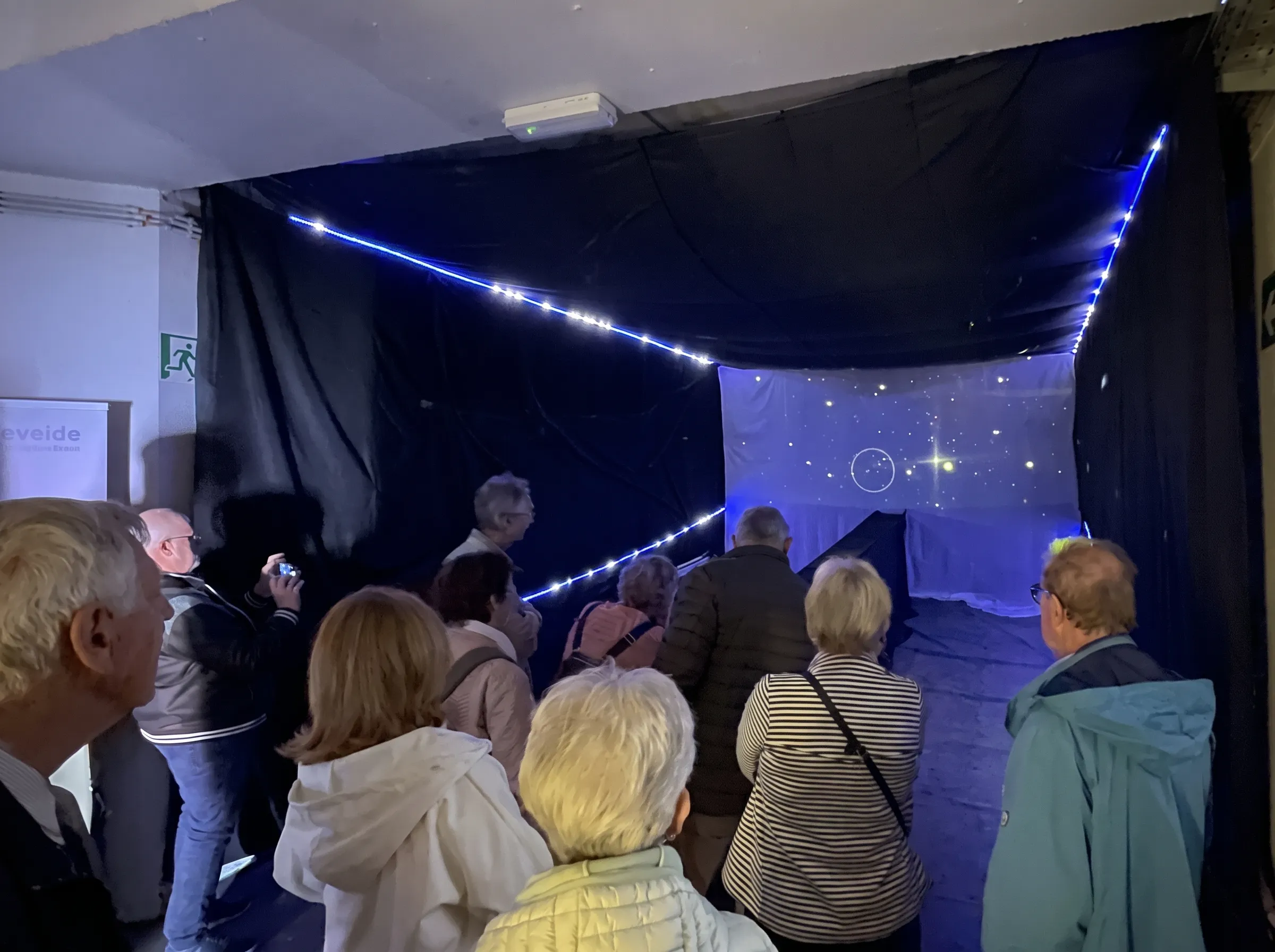
The installation is located in a fully darkened corridor beneath the stands of 't Kuipke. Visitors look through a physical telescope at a generated star field projected onto a large projection screen. By moving the telescope, a focus circle slides across the star field in search of hidden planetary systems. When a planetary system comes into view, the visitor can zoom in using a rotary knob on the telescope. The camera then moves smoothly toward the planetary system, revealing the exoplanet with the other planets and its star in the background. At that point, an info page opens on a touchscreen next to the telescope, showing scientific data about the discovered planet: size, mass, gravity and whether the planet lies in the habitable zone around its star.
Visitors can also leave a personal flag on the discovered planet with their initials, as a marker of their discovery. These flags are saved and visible to all future visitors.
The ten planetary systems in the installation are based on real, existing exoplanets. The scientific data was verified by a professional astronomer from the Volkssterrenwacht Armand Pien.
Contribution
My focus was on the TouchDesigner environment and the technical workings of the installation. In TouchDesigner I built, among other things, the generated star field, the detection system that tracks which planet is in the telescope's view, the smooth camera movement when zooming in on a planetary system and the inactivity reset that automatically restarts the installation after two minutes without interaction. I also set up the connection with the web server via websockets and the serial communication with the two Arduinos, the flags visitors leave behind are loaded in via websockets, while the data from the gyroscope and rotary encoder on the telescope communicate with TouchDesigner via serial communication.
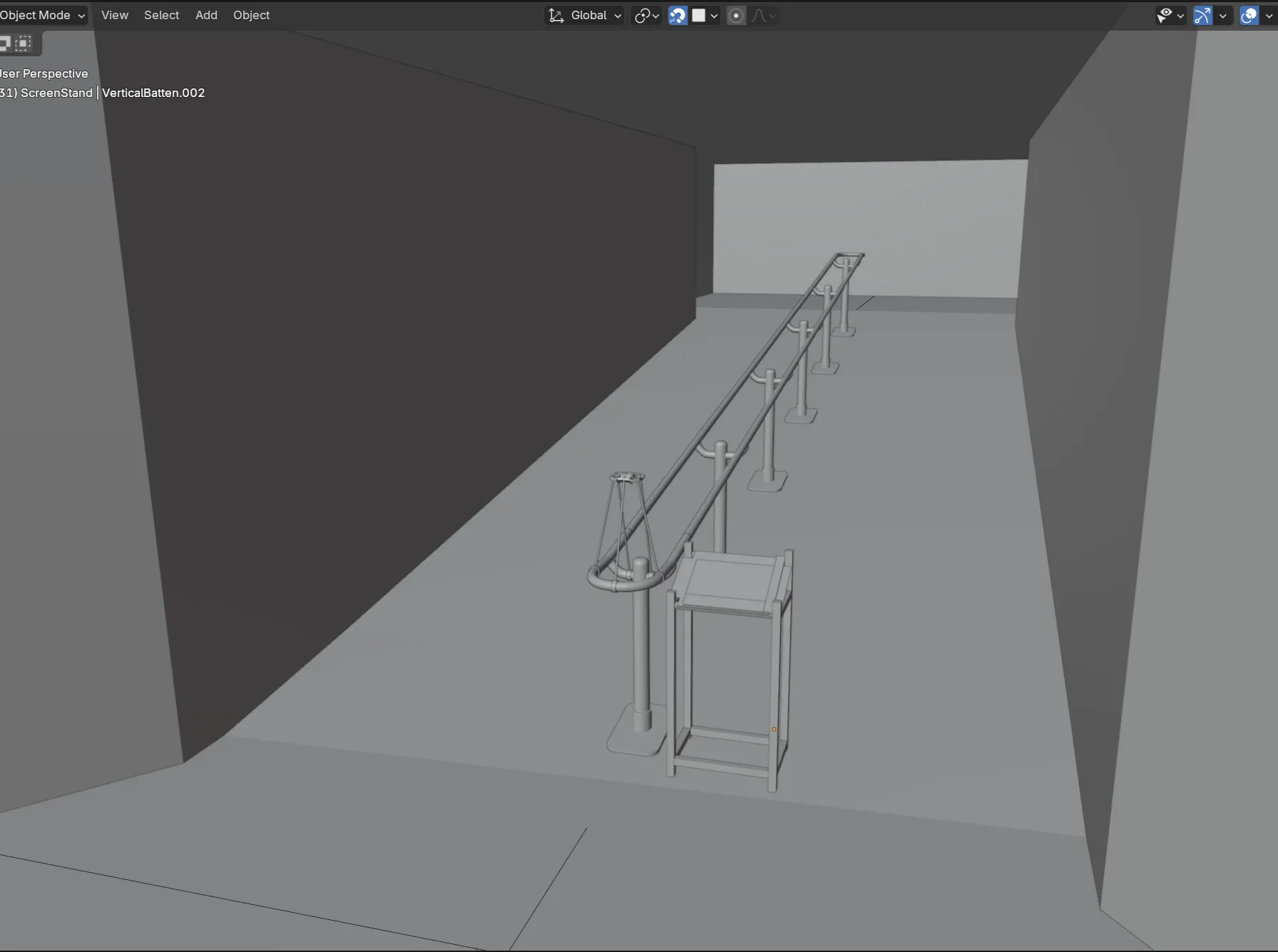
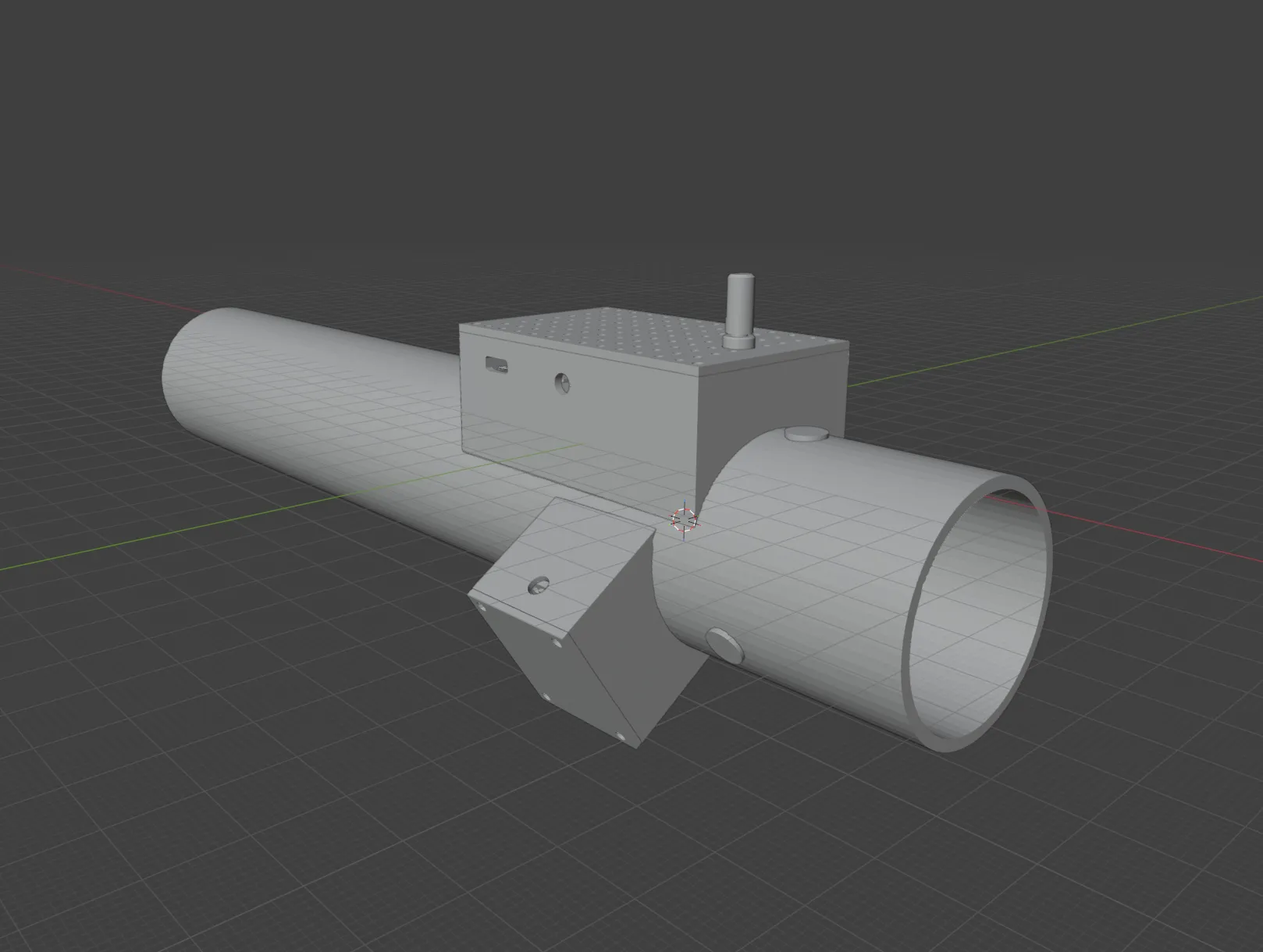
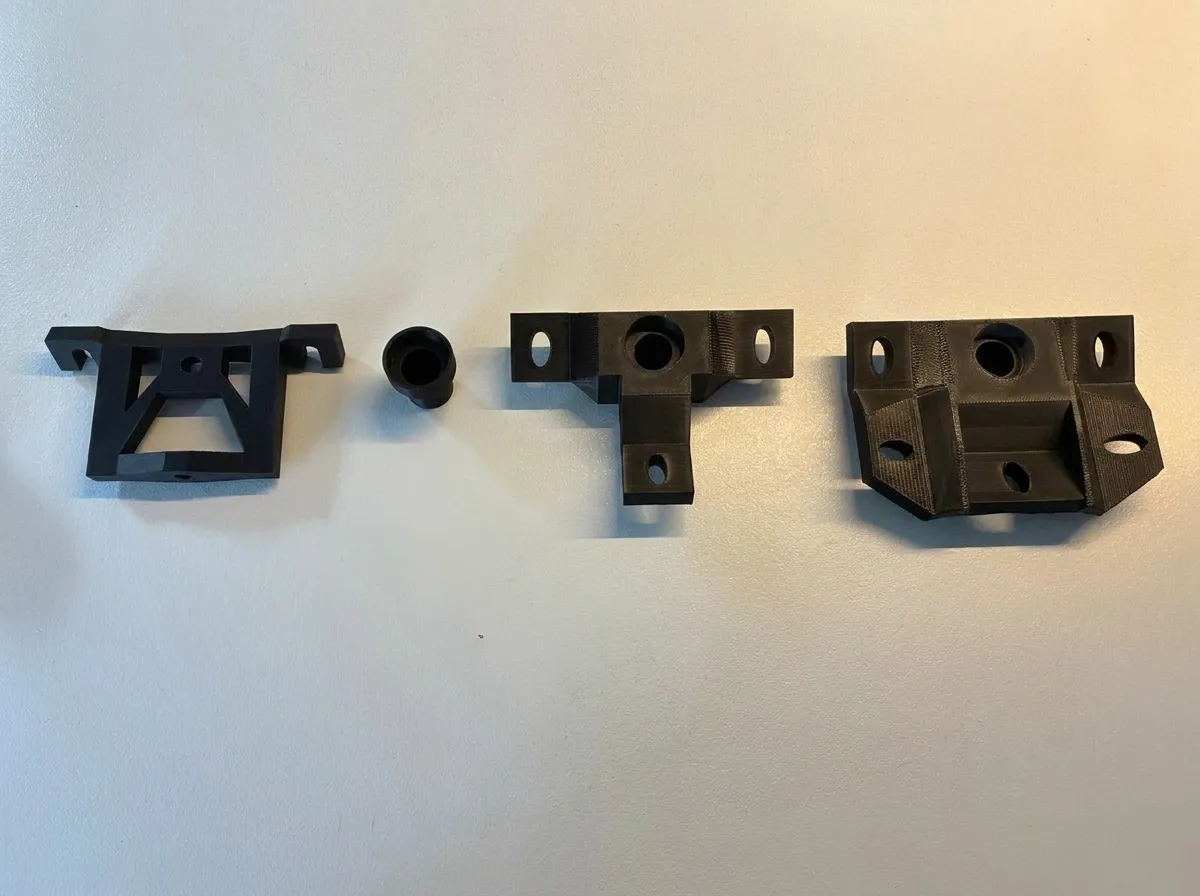
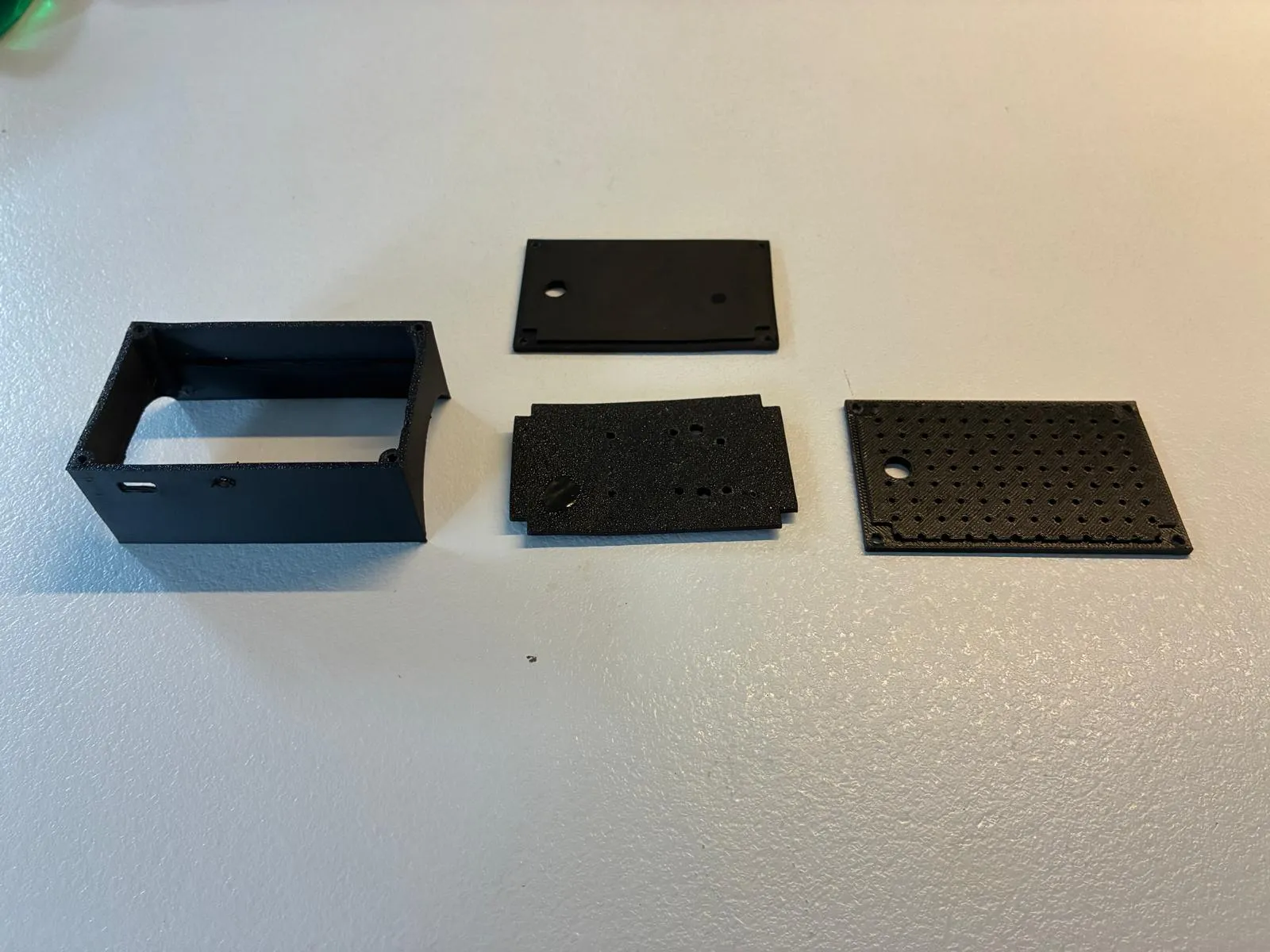
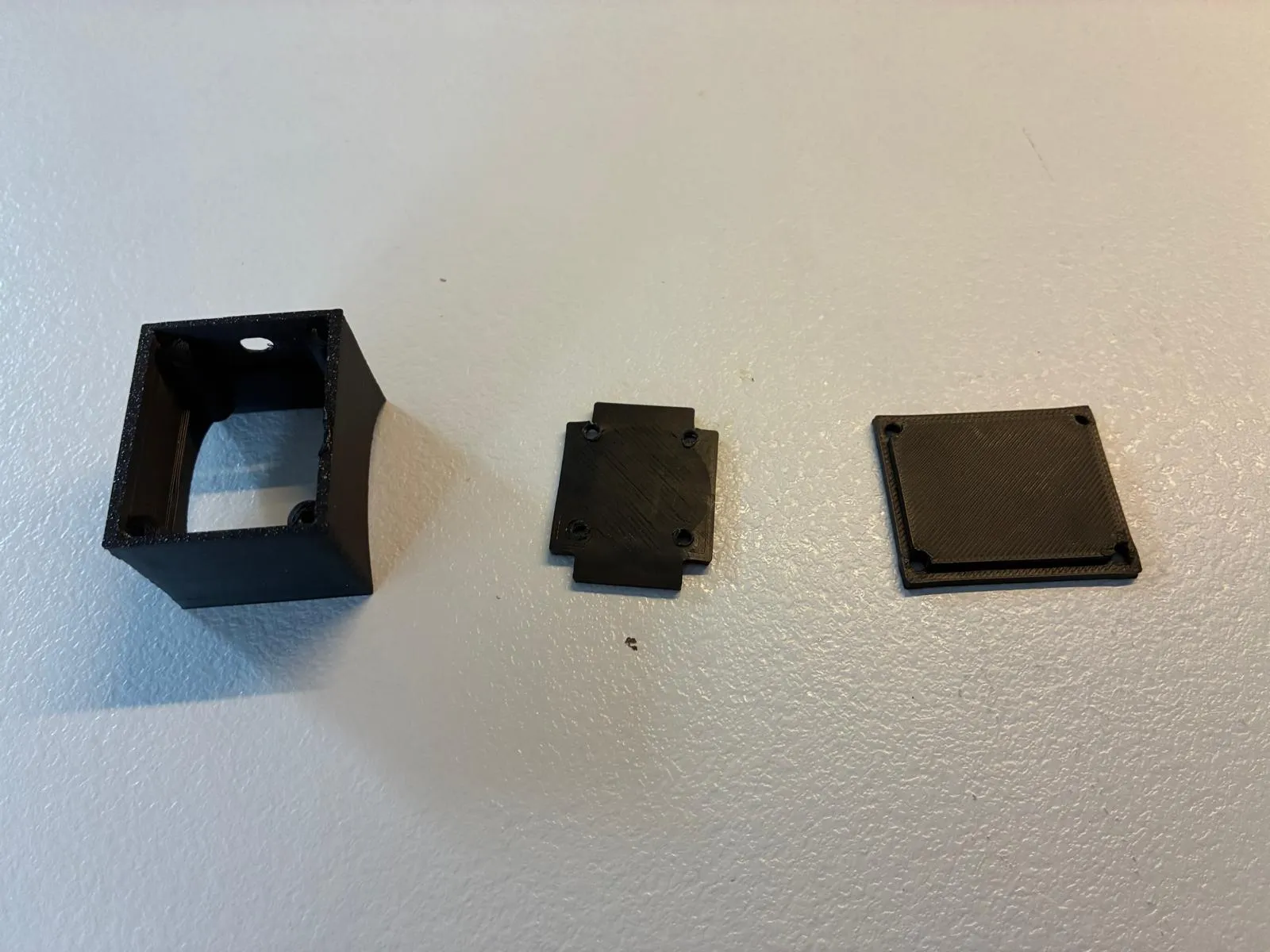
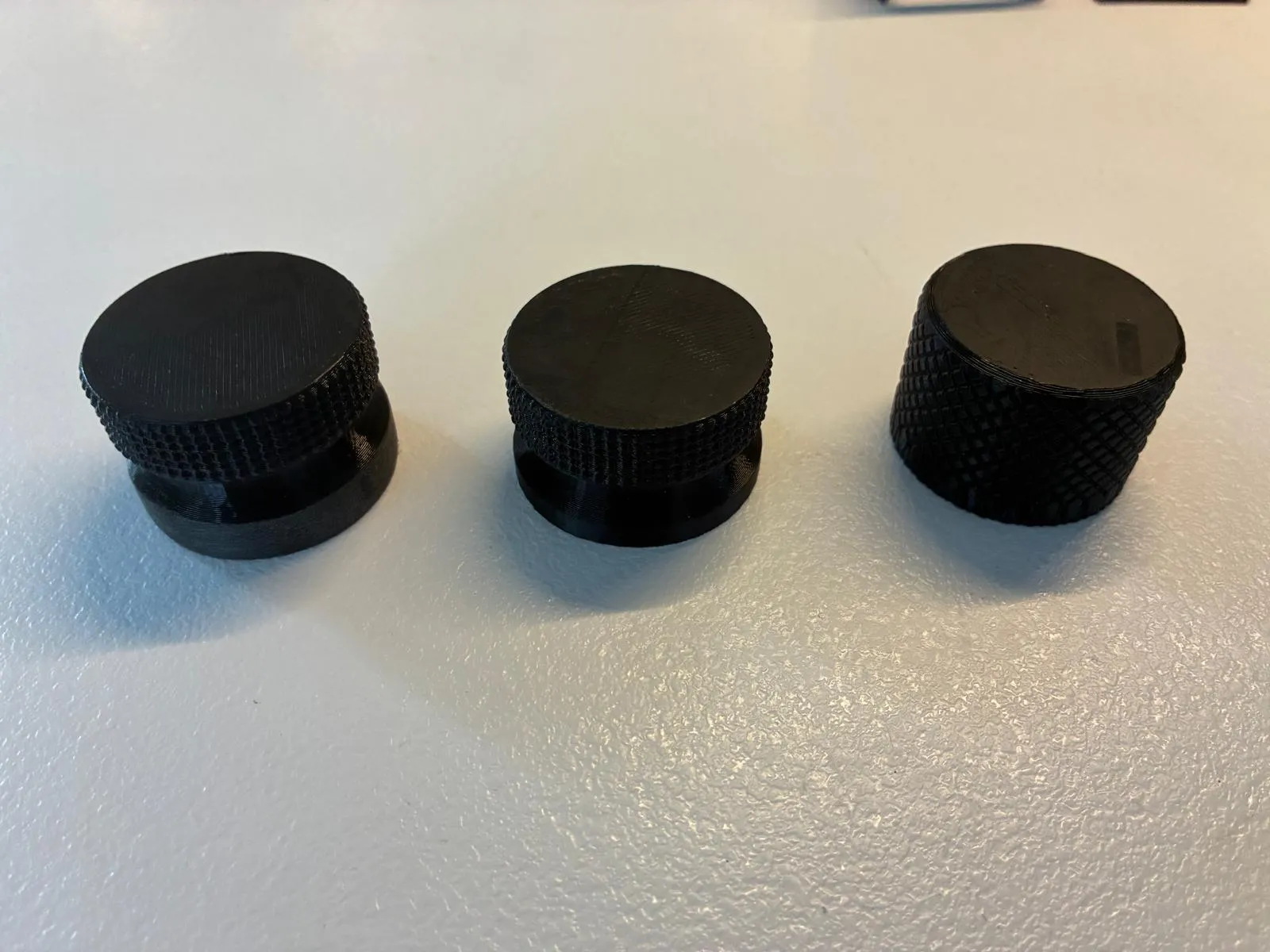
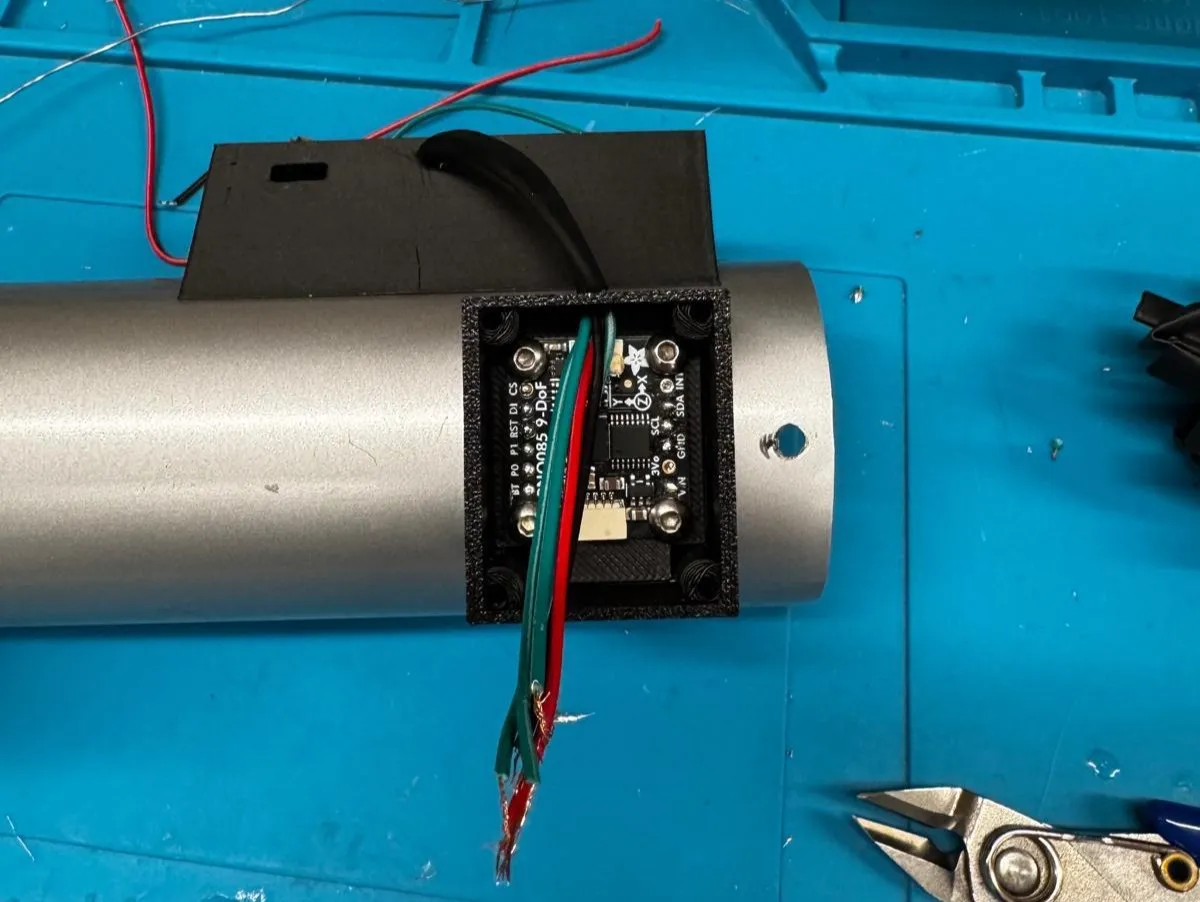
I also fully designed the screen housing in Blender and built it using wooden beams and MDF panels. All 3D printed parts, including the housings for the Arduino and gyroscope on the telescope, the rotary knob and the mounting piece for attaching the telescope to the railing, were designed and printed by me. I also built a 3D model of the room in 't Kuipke to virtually plan and test the setup before construction, and helped with texture baking for the planetary systems and building the UI.
In this project I also took on a leadership role for the first time. I kept an overview of the full system, divided tasks and made sure all the separate parts eventually worked together.
Challenge
The biggest technical challenge was the gyroscope. During the setup in 't Kuipke we discovered that a gyroscope does not work correctly when mounted at an angle, something we only realized on site. The gyroscope was originally housed together with the Arduino and rotary encoder in one box on the telescope, but was not in the correct orientation. Within a few hours we had to design, print and mount a new 3D printed housing to attach the gyroscope in the correct orientation to the underside of the telescope.
Even after that fix, a problem remained: the yaw axis of the gyroscope drifted gradually, causing the focus circle to slowly drift out of alignment with the actual orientation of the telescope and requiring manual correction. This problem could not be solved, it is inherent to how a gyroscope works, because the yaw axis has no gravity to use as a reference. Manual recalibration of the yaw had to be done regularly throughout the exhibition period.
Another challenge was mounting the telescope onto the railing. It had to be extremely stable given the number of visitors who would be using it. With the first design using three mounting points the telescope still wobbled from side to side, but extending to five mounting points gave the construction enough stability.
Then we also had a cooling problem with the Arduino mounted on the telescope. Halfway through the exhibition the Arduino broke down due to overheating inside the sealed housing. Only at that point did we discover the problem, after which we redesigned the lid with ventilation holes, reprinted it and reinstalled everything.
Finally, the user experience around zooming in was also a pain point. There was no visual indication of how far the visitor had already zoomed, causing people to get stuck halfway without knowing what to do. This is the first thing I would fix in a next version.
Result
The moment everything worked on site in the darkened corridor, the focus circle sliding across the star field, the LEDs moving along with the camera as it zoomed in , was the most memorable moment of the project for me. I felt completely immersed in the experience.
The reactions of visitors confirmed it. The "wow" moment when a planet came clearly into view with its star and other planets in the background was something many people experienced. Something that surprised us too was that the projector, projecting from behind onto the screen, also cast stars onto the walls, ceiling and floor around the visitor, which amplified the immersive effect even further.
This project gave me a real sense of what it means to build an installation for a large audience over an extended period. It taught me an enormous amount about TouchDesigner, Blender and building physical installations, and was the first time I truly took the lead on a full project. It was harder than I expected, but seeing everything come together and watching visitors engage with it made it more than worth it.